
South Africa’s number one local directory for parents.
- HOME
- PRODUCTS
- Babies
- Kids
- Moms
- Baby Wearing, Travel & Mobility
- Birth and Postpartum Supportive Products
- Breastfeeding Supportive Products
- Clothing & Accessories
- Health & Fitness
- Keepsakes/Special Gifts
- Menopause Support
- Mom’s Medicine Cabinet
- Nutrition & Supplements
- Pregnancy Supportive Products
- Purposeful Skincare
- Ready Meals & Recipe Books
- Stationery/Planning
- ONLINE EXPERTS
- Birth & Lactation Courses/Support
- Family Financial Planning
- Fertility, Genetics & Stem Cell Online Support
- Health & Fitness Apps/Courses
- Marketing and Content Experts
- Nanny, Au Pair & Tutor Services
- Neurodiversity Support & Resources
- Parenting Apps & Courses
- School Curriculums & Learning Apps
- Sleep Solutions
- SERVICES & PLACES
- Birth & Postpartum Supporting Services
- Child & Educational Therapists
- Daycare/Pre-Primary Schools
- Extra Mural Activities
- Nannies, Au Pairs & Home Support
- Family Photographers
- Family Vacations
- Homeschool & Tutor Support
- Hydrotherapy, Physio & Chiropractor
- Kid-Friendly Restaurants & Activities
- Mom & Baby Wellness Clinics
- Mom Fitness and Nutrition
- Neurodiverse Support Services
- Occupational, Speech & Play Therapists
- Paediatrics & Child Specialists
- Party Rentals, Planning & Supplies
- Play Sessions For Babies & Kids
- Special Needs & Remedial Schools
- Wellness & Beauty Spots for Moms
- ONLINE SHOP
- THE RESOURCE HUB
- ADVERTISE WITH US
Advertise With Us
Sign up and showcase your business on a trusted platform connecting you with a highly engaged, parent-focused audience.
The Mom Archive is South Africa’s fastest-growing parent-focused platform, created to simplify the journey of parenthood. Built by parents, for parents, it was born from a real need to easily find trusted products, services, and support—all in one curated space.
Rooted in connection, inclusivity, and real-life support, we are deeply passionate about uplifting local businesses while providing a calm, trusted environment where families can discover solutions that genuinely meet their needs at every stage of parenting.
We are also one of the most cost-effective marketing solutions in South Africa for parent-focused businesses, helping you reach a highly targeted audience without the high costs of traditional advertising.
We don’t just list your business — we actively market The Mom Archive through social media and advertising to bring moms to the platform. From there, visitors browse our curated categories and discover your business as part of their search — meaning every view your listing receives is a targeted one, from someone already primed to be interested in products and services like yours.
Every listing also comes with a trackable referral link, so you’re never guessing whether it’s working. On average, listings are generating results at around R1.00 per targeted view — a fraction of what most businesses would spend running their own social ads or search campaigns to reach the same audience.
Boost Your Own Google Ranking
Every listing also includes a direct backlink from The Mom Archive to your own website — and because we’re a dedicated South African platform built specifically around baby, kids, and mom-related products and services, that backlink carries genuine niche relevance. Google weighs links from trusted, topically-relevant sites more heavily, so being part of our curated ecosystem helps strengthen your own site’s credibility and standing in search results over time — not just your visibility on our platform.
By joining The Mom Archive, your brand becomes part of a wider ecosystem that actively connects you with families seeking trusted solutions—creating visibility that goes beyond exposure and turns into meaningful connection.
“…a pioneering movement that truly understands and caters to the diverse needs of parents.”
























WHY ADVERTISE WITH THE MOM ARCHIVE?
- Direct access to a highly targeted audience of South African parents
- Your business positioned in front of the right audience, at the right time
- A trusted platform actively used by parents seeking reliable solutions
- Intelligently structured categories that ensure parents find what they need quickly
- Purposefully designed for meaningful visibility, engagement, and conversion
- Exceptional value with highly affordable, flexible packages
- Part of a growing ecosystem that supports and elevates local businesses
Yearly Listing Views +
Social Reach +
Businesses Listed +
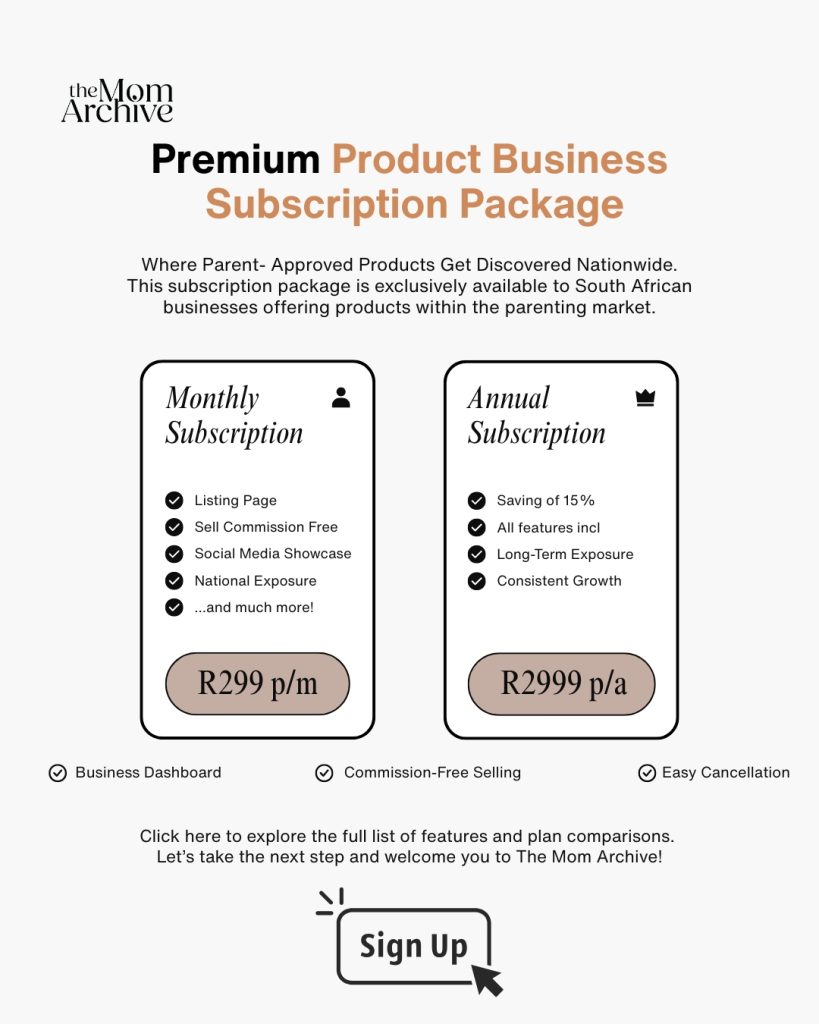
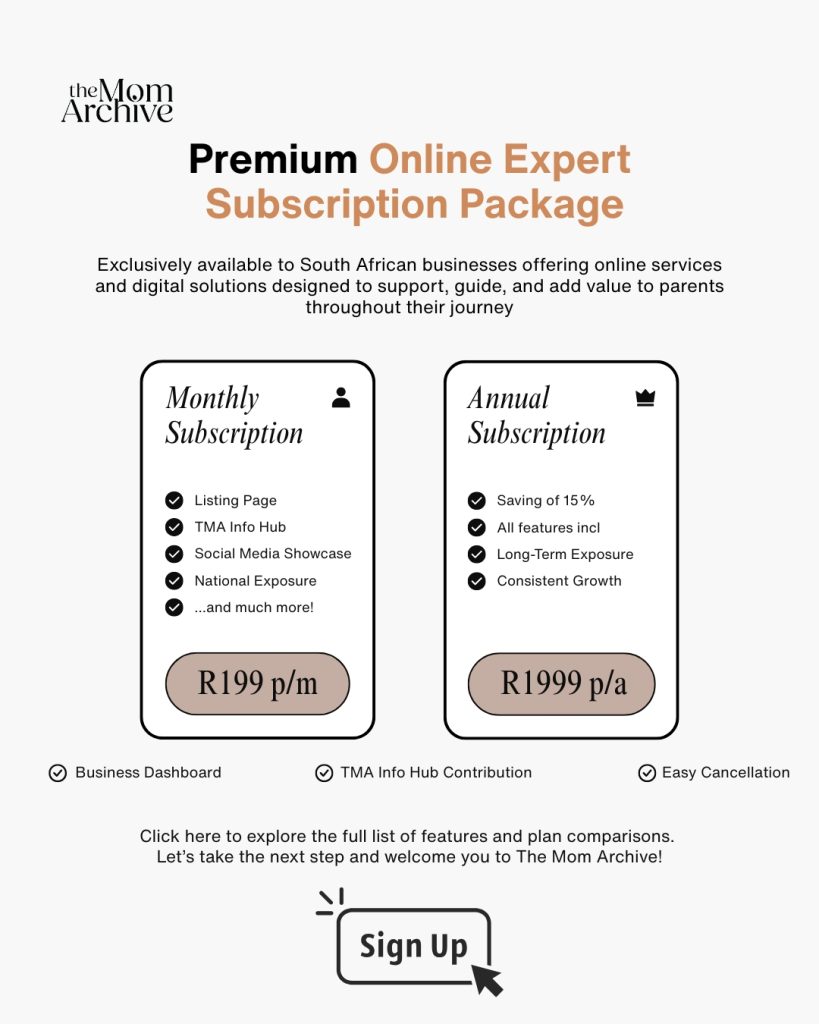
Products & Online Experts
Choose the package that best fits your business so you can be listed in the most relevant category, reach the right audience, and get the premium exposure that comes with a paid placement.
Services & Places
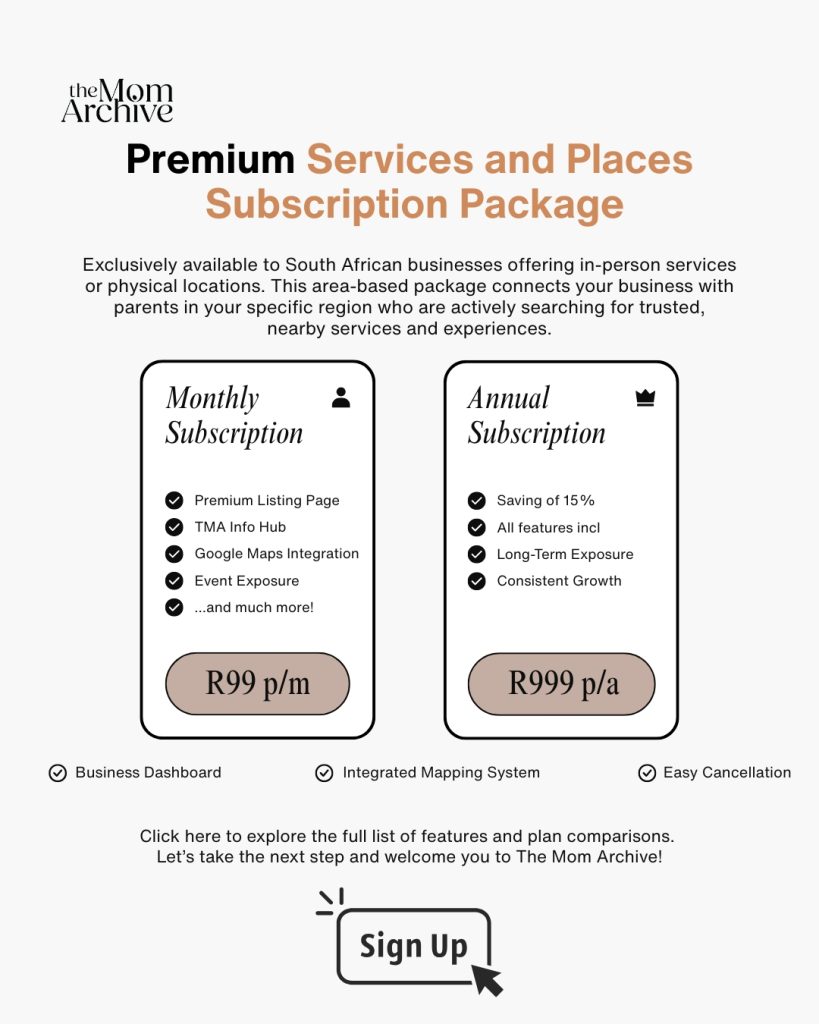
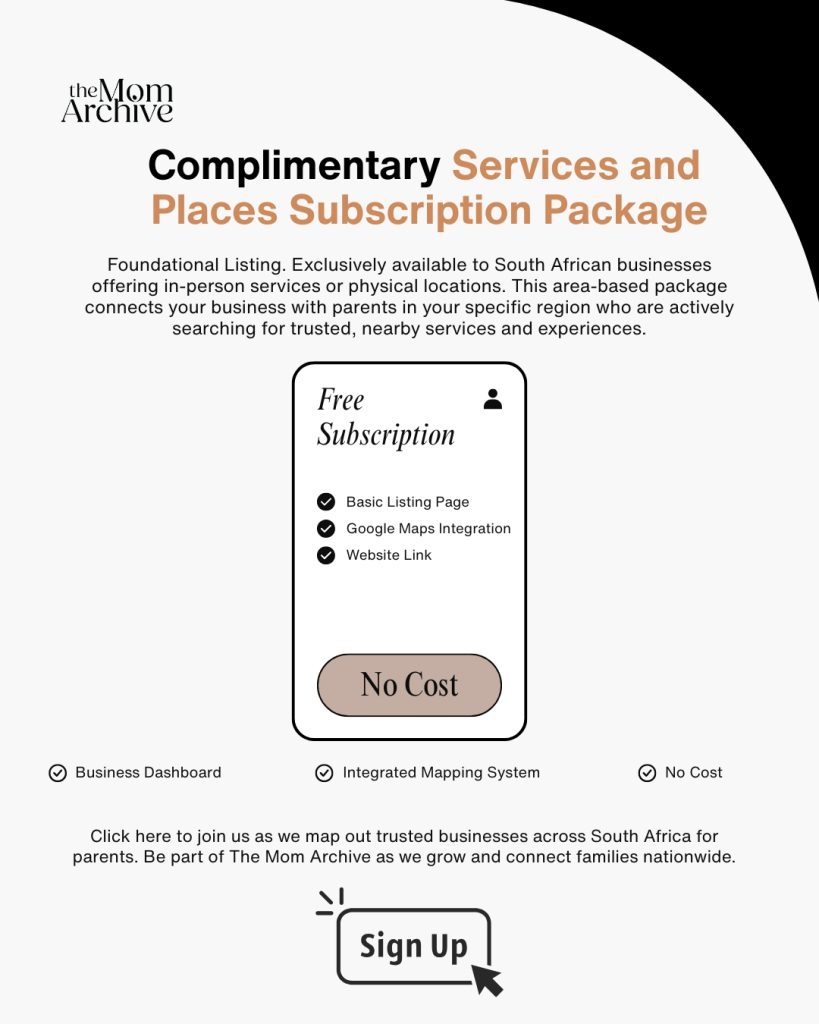
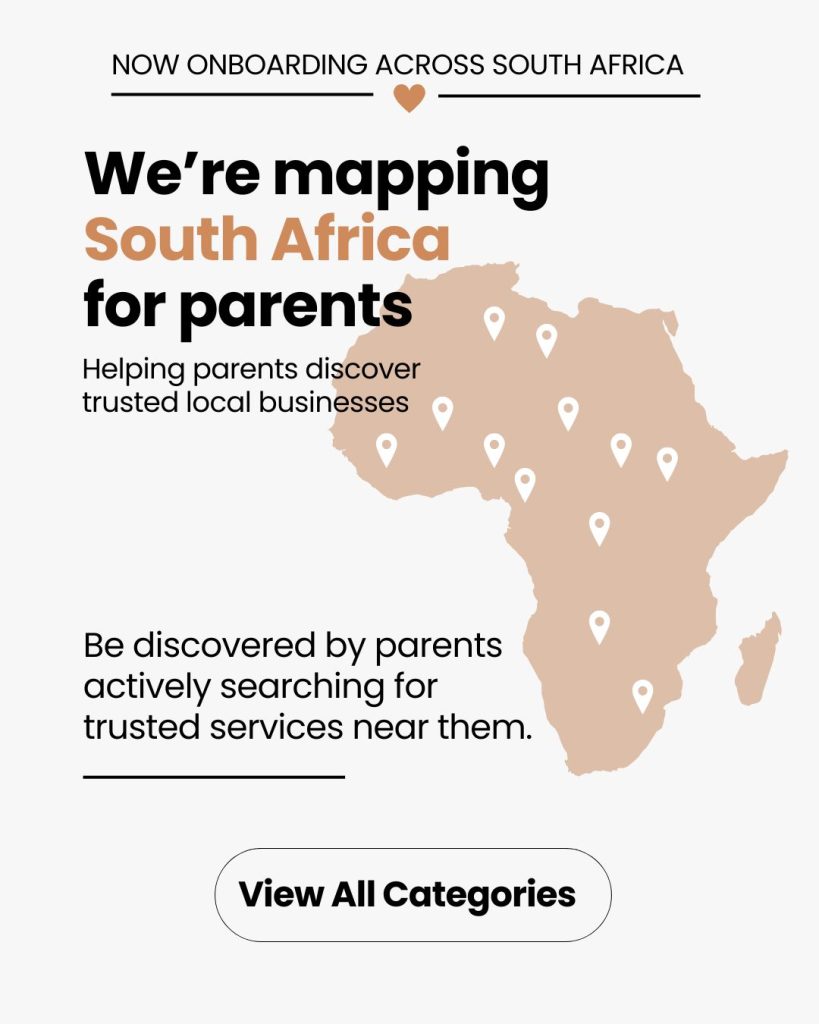
Our Services & Places listings is what maps South Africa for parents — helping them discover and connect with trusted businesses in their area, from daycares and specialists to kids-friendly places and essential family services. We offer two package options: a complimentary listing, or a Premium listing at R99/month for enhanced visibility and added features. Please note that this category is exclusively for businesses with a physical location in South Africa that provide services to babies, children, and parents.
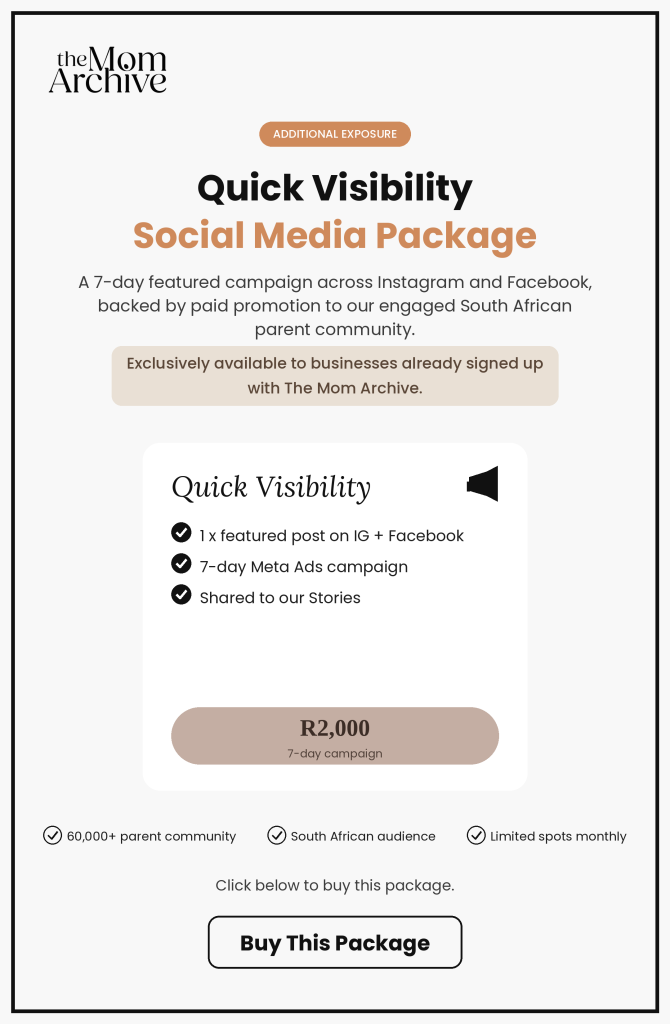
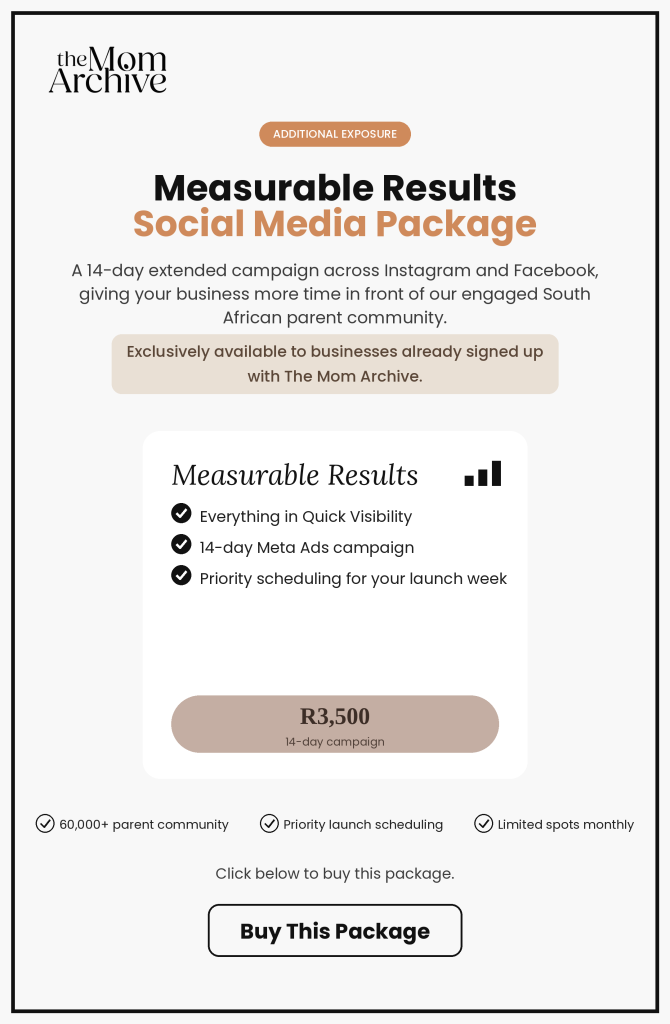
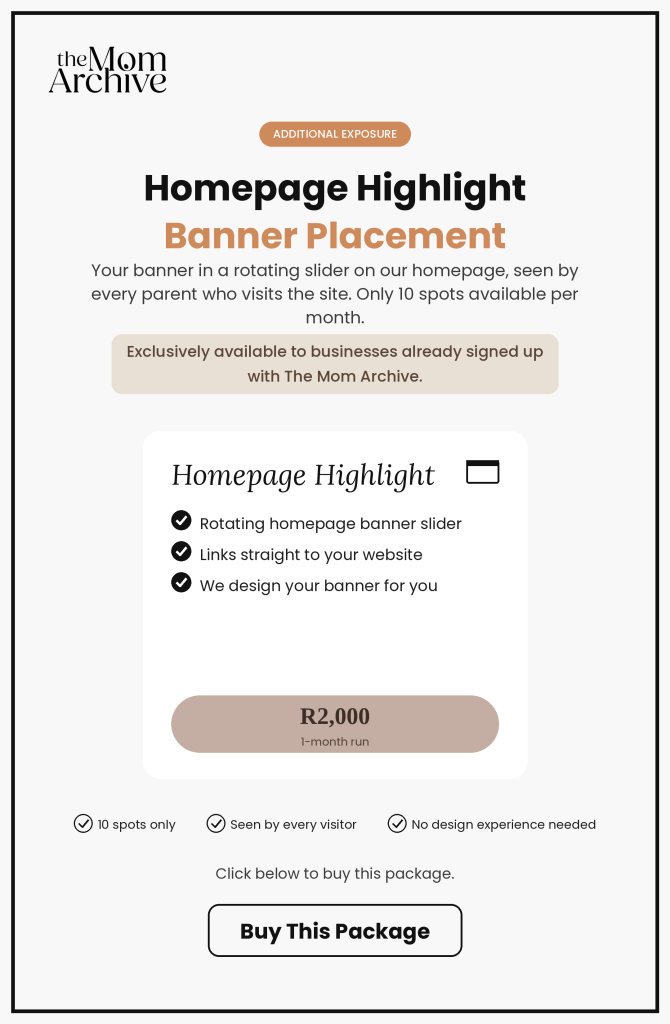
Additional Exposure Packages
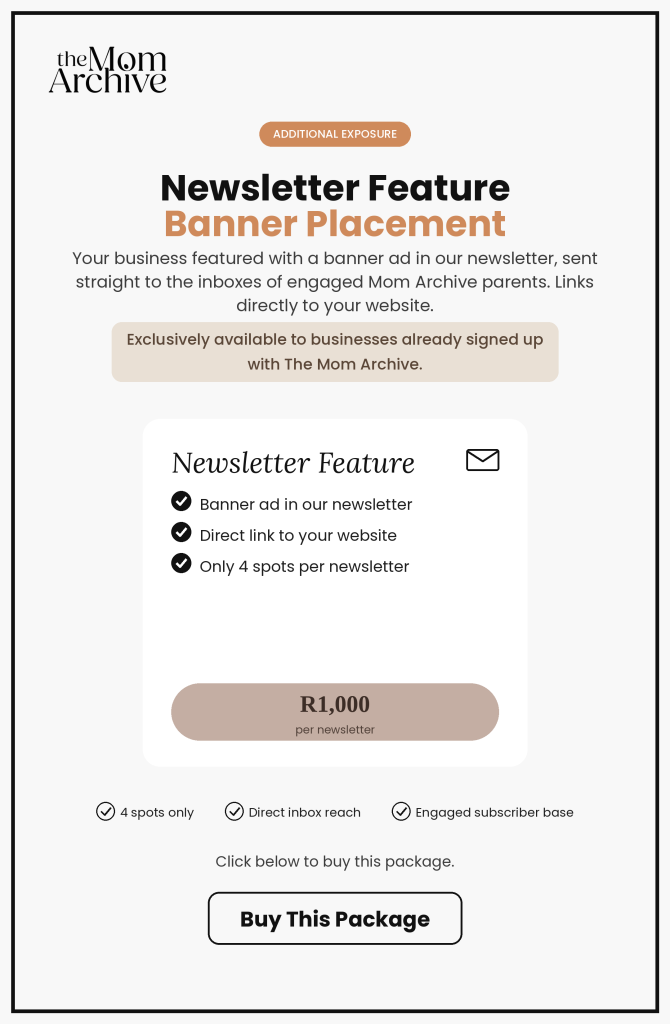
Boost your visibility even further with our additional exposure packages — from social media features to homepage banner placements. These marketing add-ons are exclusively available to businesses already listed on The Mom Archive.
Questions and Answers
Quick answers to guide you from sign-up through to managing your dashboard and making the most of your listing on The Mom Archive.
How do I know if my business can sign up to The Mom Archive?
The Mom Archive is designed for businesses that cater to the parenting market — including babies, kids, and parents. This includes product-based businesses, online services, resources, and physical locations.
When signing up, it’s important to choose the correct listing type for your business. For example, businesses that sell products cannot sign up for the Free Services & Places listing and should instead select the appropriate product package.
All listings are carefully reviewed by The Mom Archive team before being approved to ensure they align with our platform and audience. We also take great responsibility in ensuring our platform is well-categorised and organised, so parents can quickly and easily find what they’re looking for.
How do I sign up and create a listing?
Go to the package that best represents your business and select the correct listing type (we follow a strict approval policy to ensure quality and relevance).
Create an account by registering as a Listing Owner with your username and password.
Select your preferred package (monthly or annual).
Proceed to create your business listing by completing all required details.
Submit your listing for review.
You will be directed to the payment page to activate your subscription.
Complete payment to finalise your sign-up.
Your listing will be reviewed and approved by our team.
Once approved, your listing will go live on the platform.
Log in anytime using your details to access your dashboard.
Update or edit your listing whenever needed.
Can I have more than one listing under one account?
Yes, you can create and manage multiple listings under one account.
To add a new listing, simply stay logged in and navigate back to the sign-up packages. Select the appropriate package for your additional listing and follow the sign-up process.
This is ideal for businesses with multiple locations, branches, or offerings. Please note that each listing must be set up as a standalone entry, with its own unique identity — including brand name or location, and details.
All listings can be conveniently managed from your single account dashboard.
How do I edit my listing and update my information?
Log in to your account using your username and password.
Access your Dashboard from the member area.
Navigate to your active listing(s).
Click on the listing you would like to edit.
Update your business information, images, or details as needed.
Save your changes before exiting.
Your updates will be submitted for review if required.
Once approved (if applicable), changes will be reflected on your live listing.
How do I apply as a vendor and manage products in the online store?
The online store feature is available exclusively to product-based businesses that sign up for the R299 Product Package.
Once your listing has been approved and is live, you can log into your dashboard and navigate to “My Shop” to activate your vendor profile. From there, you’ll be able to add and manage your products.
All products you add will automatically appear in our online store. However, they must also be added manually to your “My Listing” section.
Vendors using this feature are responsible for keeping their product information accurate and up to date.
What is the initial contract period and how do I cancel my subscription?
All monthly subscriptions require an initial 3-month commitment.
After this period, the cancellation option will become available in your listing dashboard under “My Subscriptions.” From there, you can process your cancellation directly.
What happens if my subscription payment fails?
Our system will attempt to process your payment twice. If the second attempt is unsuccessful, your listing will be temporarily taken offline — including any online store products — until payment has been successfully processed.
You will also receive a notification via email informing you of the failed payment.
All subscriptions are processed through PayFast, so any payment updates must be completed through their system.
Simply click the payment button in the failed payment email you received. From there, you can update your card details or complete a manual payment to restore your listing.
How do I update my payment details?
To update your payment method, simply follow these steps:
Log in to your account.
Navigate to “My Subscriptions”.
Find your active subscription and click “View”.
Scroll down and click on “Change Payment”.
A new page will open with a PayFast button labelled “Change Payment Method”.
Click the button to be redirected to PayFast.
Enter your new card details, tick the consent box, and click “Save card details”.
Your updated payment method will then be applied to your subscription.
How do I reactivate my listing after cancellation?
To reactivate your listing, simply log in to your account and navigate to the “Advertise With Us” page.
From there, select the correct package for your business and follow the steps to complete your subscription.
Once your new subscription is activated, your existing listing will automatically be reactivated. You can then log in and update your details as needed.
How do I contact support if I experience any issues?
If you experience any issues, you can contact our support team by emailing us at office@themomarchive.co.za.
For more detailed information regarding your listing, subscriptions, and platform use, please refer to our Terms and Conditions.
